





Regular Coffeeness readers will know that I’m always encouraging you to use a coffee scale. That’s because whenever I set up a fully automatic coffee machine or an espresso machine, I always have a scale on hand. And for a decent cup of pour-over coffee, a digital scale is pretty much indispensable.
In my guide to the best coffee scales, you’ll find models from a range of brands and at a range of prices. However, in today’s Brewista Smart Scale review I’ll be discussing a model that isn’t in the guide. I have to say that the Brewista Smart Scale III will probably make its way there, given how well it performs. Seriously, this affordable scale is ideal for both espresso and manual brewing, and it shows you the minimum features coffee scales should have.
Moreover, it provides a reference price against which we can measure other options. For example, the price difference between the Brewista and my Acaia Lunar is more than $200.
On the other hand, the Brewista device clearly demonstrates what accounts for these price differences and what that means for coffee preparation.
Because even though Brewista talks about being “smart,” we have to put that into perspective. The scale can do many things on its own and, especially for beginners, takes care of some of the fundamentals.
But as soon as we look at truly smart digital scales like the Acaia Lunar, we quickly notice the limitations of more affordable technology. This inevitably leads to the question of just how much barista-level performance a smart scale should actually deliver.
There’s no question, however, about which coffee beans I recommend using with this accessory … at least if you own a home espresso machine.
Brewista Smart Scale III
Great performance for the price
Very affordable
Compact and lightweight
Multiple modes
Timer function
Too small for Chemex

| Brewista Smart Scale III | |
| Current price on Amazon | $55.00 |
|---|---|
| All specifications | |
Table of Contents
Brewista Smart Scale II vs Smart Scale III
Before going any further, I should point out that I tested the Brewista Smart Scale II, and that’s what you’ll see in the photos. More recently, the manufacturer has released its successor, the Brewista Smart Scale III, which retails for $55.00.
While the latest version is a bit different, both models share the same core features, including accuracy to 0.1 grams, automatic tare and timer functions and a compact, water-resistant design. Of course, I’ll be focusing on the Brewista Smart Scale III, which has improved responsiveness and a different display. It also features USB-C charging instead of Micro-USB.
Brewista Smart Scale at a Glance: Compact Design
| Brewista Smart Scale III | |
|---|---|
| Weighing range | 1-2,000 g |
| Accuracy | 0.1 g |
| Timer function | Yes |
| Power supply | USB rechargeable battery |
| Weighing modes | 5 |
| Auto-off function | Yes |
| Recommended use | Espresso, pour-over |
| Dimensions (H x W x D) | 0.7 x 4.1 x 4.1 in / 1.8 x 10.5 x 10.5 cm |
| Weight | 7.0 oz / 200.0 g |
| Current Price on Amazon | $55.00 |
The manufacturer recommends this model for both espresso and pour-over coffee. And as long as we’re talking about a single serving of filter coffee, I’m on board. For a large Chemex or a Hario carafe, however, the Brewista is simply too small. I therefore clearly classify it as an espresso scale. Both its dimensions and weight are ideal for an accessory that won’t clutter up your kitchen or tumble off the drip tray.
Five Functions for Better Espresso
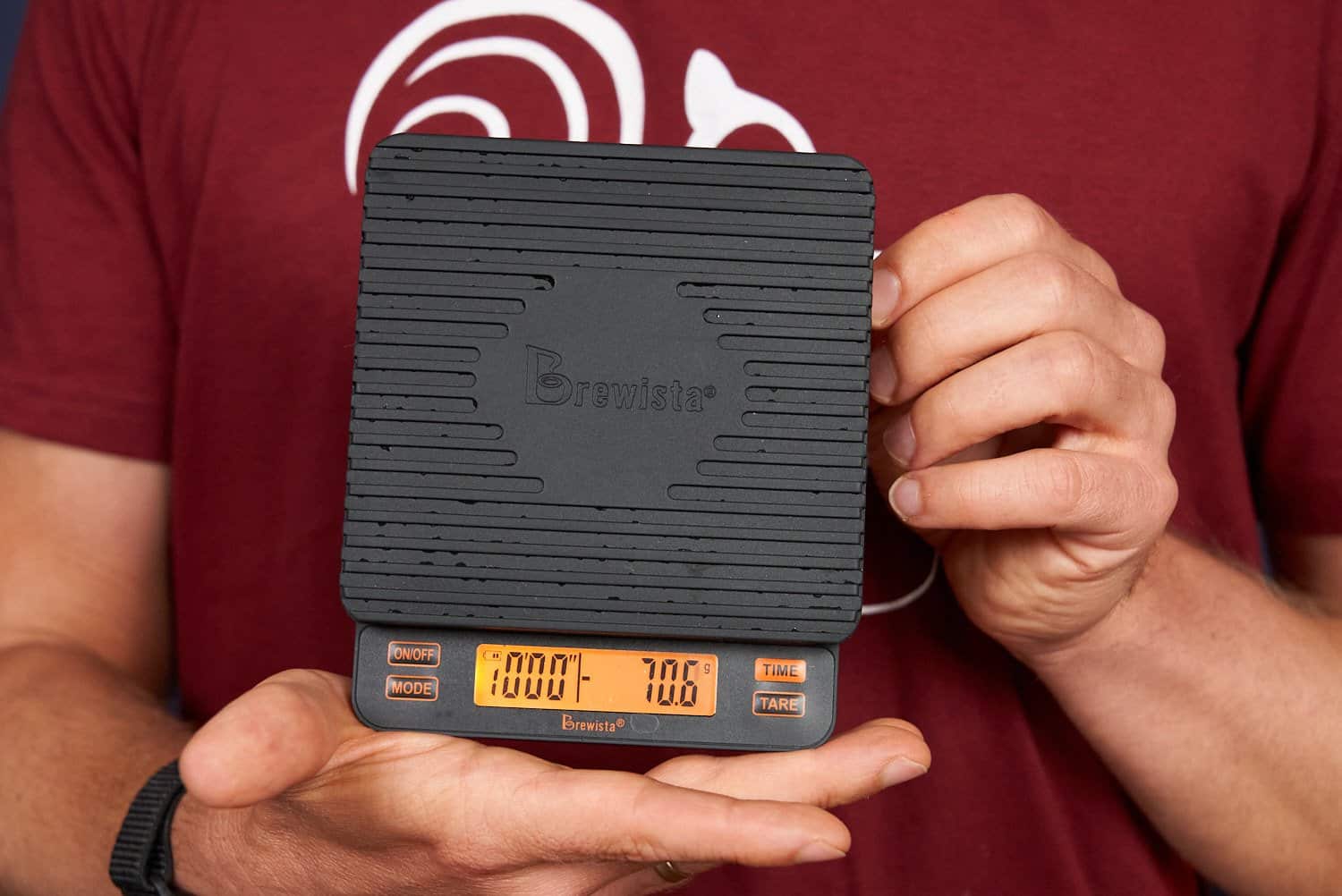
Using the MODE button, you can switch between five modes, each designed for a specific machine setting. This idea is one of the main reasons these scales exist in the first place:
Mode 1: Full Manual. No automation. Manual tare and start/stop of timer function
Mode 2: Semi-Auto. Automatic tare, manual timer
Mode 3: Full Auto. Automatic tare, timer starts when scale detects liquid
Mode 4: Weigh Only. Automatic tare, no timer function
Mode 5: One-Touch. Automatic tare, timer starts simultaneously
Every barista has their own preferences when it comes to which mode to use on a scale. That’s why it’s great, of course, that the Brewista Smart Scale offers you so many options.
For a “smooth” adjustment of your espresso, I recommend Mode 3, because that’s the scenario where measuring the extraction time makes the most sense.
Let’s remember: For a single shot, we should aim for around 20 seconds, even though the weight in the cup is ultimately more important.
Brewista Smart Scale III: Main Advantages


When compared with an ordinary kitchen scale, the difference becomes clear pretty quickly when you try out the Brewista Smart Scale for the first time. Unlike the more rudimentary models designed for weighing dough or recipe ingredients, this one is all about coffee:
There is a limit to the weighing range, but the accuracy is precise enough to account for virtually every single particle of ground coffee.
The timer allows you to measure your coffee not only by weight but also by extraction time.
The different modes are tailored toward either manual brewing or espresso preparation.
If something spills or tips over, it’s no big deal. The scale is splash-proof and comes with an additional non-slip silicone pad.
You can recharge the scale over and over again. No need for batteries!
As you’d expect from a precision tool, the scale is extremely accurate. The auto-tare function, in particular, makes your work easier because it’s so consistent. When you’re using a specific cup or container, it always resets to zero without getting confused.
However, be prepared to experiment with and understand the logic of each mode first. Trust me, there’s a lot going on and deciding on the best mode isn’t immediately obvious to beginners.
Because so much is happening on the display, you’ll likely start off with a lot of incorrect readings. But that’s no big deal. Nor should you let the hustle and bustle this scale creates get to you.
As a precision scale, it has to be that hectic. Since it’s so sensitive and responsive, it’ll expose even the slightest inconsistencies in espresso puck preparation. That’s guaranteed to put you under a bit of pressure at first.
However, I also know that this hectic pace isn’t necessarily inevitable …
Brewista Smart Scale III: Main Disadvantages
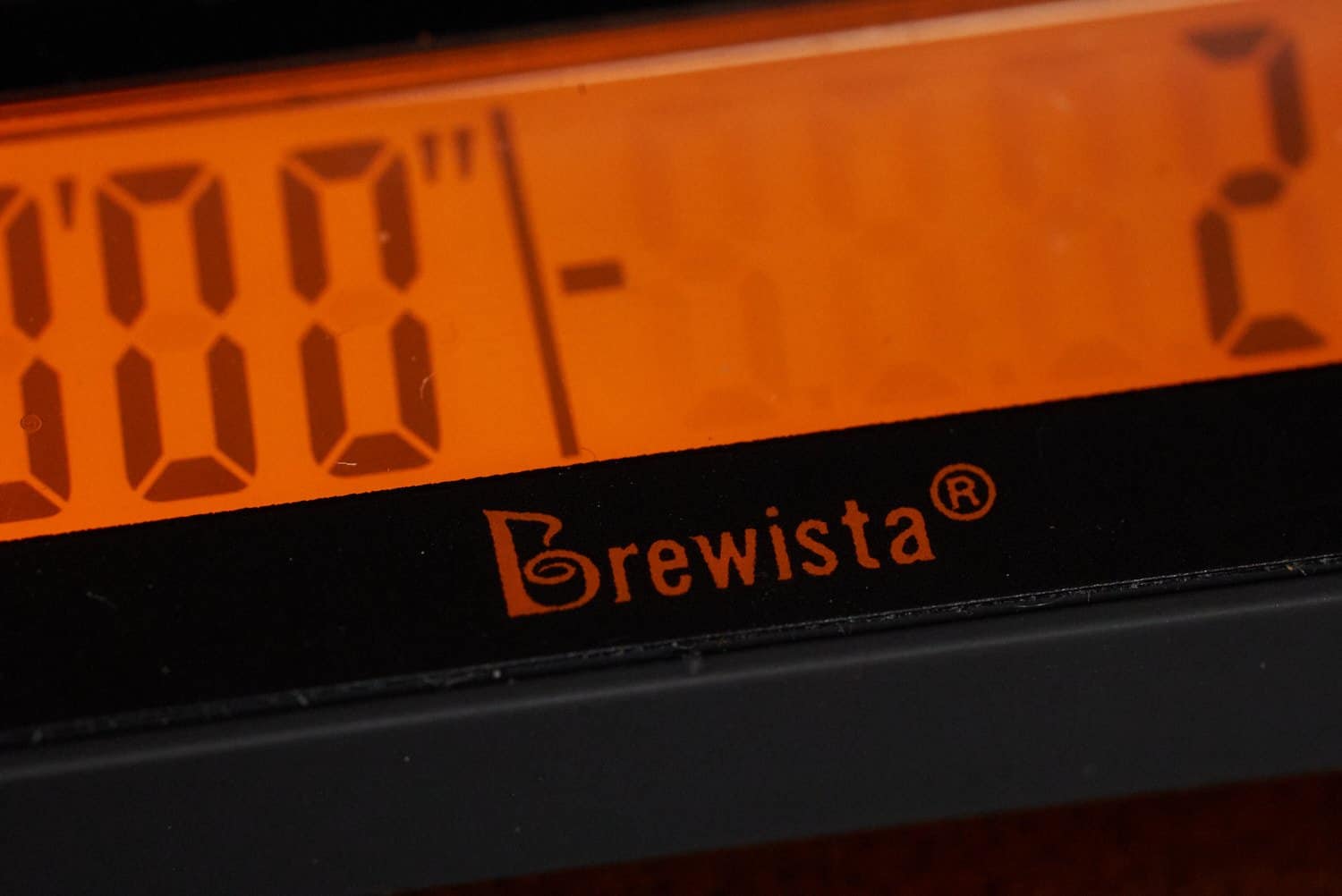
Although an especially compact scale sits securely on the espresso machine, it has to cut corners in many areas. In this case, that means the display’s readability. The LCD technology also causes problems:
The numbers are rather small, and the display is somewhat cluttered.
The numbers are often difficult to read clearly because, from certain angles, you can also see the parts of the display that aren’t lit up (we’re familiar with this from Casio watches).
The display can be a wee bit sluggish. There are slight delays, which you’ll mainly notice when the machine starts up. And every delay results in more coffee than intended.
It is precisely in this regard that the Acaia Lunar makes it unmistakably clear why state-of-the-art technology justifies a higher asking price.
The Acaia scale, with its individually backlit, high-contrast numbers on a spacious display, leaves no room for confusion and always provides a clear reading.
As soon as you try to use the manual functions on the Brewista Smart Scale, you’ll notice another drawback of its somewhat antiquated technology:
To turn on the modes, the timer or even the scale itself, you have to press the raised buttons. These require a precisely measured amount of pressure. And that amount is significantly greater than with touchscreen controls. However, the buttons are a bit too small for that.
If the scale is set to automatic, you theoretically don’t need to adjust it anymore. After all, you press “Stop” on the espresso machine. Still, I experienced some messed up readings because I didn’t set the correct mode. And that was all down to the awkward buttons.
As you know, I don’t place much importance on an app or fancy controls. Still, my Acaia Lunar, with its fully digital touchscreen interface (which can also be operated via app), performs better in every respect.
But again: As an accessory that you might only use occasionally, the Acaia Lunar will cost you significantly more money. Besides, the Brewista Smart Scale is more than sufficient for casual dabblers.
Verdict: Should You Buy the Brewista Smart Scale III?
Brewista Smart Scale III
Great performance for the price
Very affordable
Compact and lightweight
Multiple modes
Timer function
Too small for Chemex
| Brewista Smart Scale III | |
| Current price on Amazon | $55.00 |
|---|---|
| All specifications | |
If you want to measure your coffee down to the tenth of a gram, the Brewista Smart Scale is a top accessory for the ambitious home coffee enthusiast. The functionality matches the price; the device does its job (overly) eagerly.
However, as with other reviewers, I had to cite the Acaia Lunar as the benchmark model. And for good reason. After all, most buyers admit that they went for the Brewista because they weren’t yet ready to splurge on Acaia’s expensive espresso scale.
But at some point, everyone seems to have an “epiphany.” Even though the Acaia offers significantly more space for a Chemex, as well as a super-clear digital display, you should seriously ask yourself the following questions:
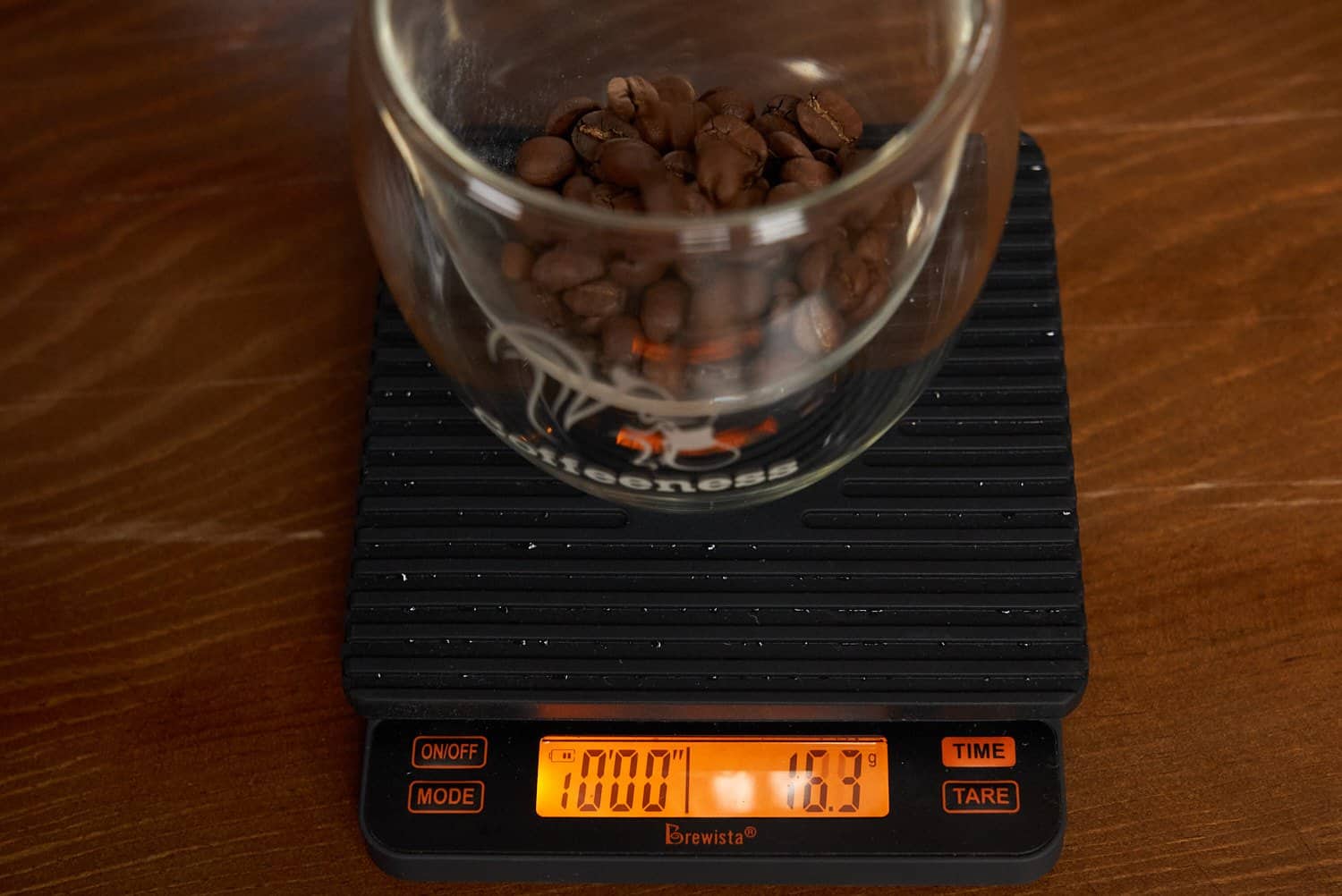
How often do you recalibrate your fully automatic coffee machine or espresso machine? How often do you switch coffee beans? How often do you really need your coffee scale?
For its price, the Brewista does everything right. It’s certainly not the best digital scale, but it’s a quantum leap from an ordinary kitchen scale – and certainly from the “scoop of coffee per cup” method.
So why should you buy more expensive espresso accessories? I mean, once you get used to its design, display and functionality, you’re guaranteed to be happy with the Brewista.
FAQs
The Brewista Smart Scale III has five modes: Full Manual, Semi-Auto, Full Auto, Weigh Only and One-Touch.
Seeing as precision and repeatability are such important factors in coffee preparation, a coffee scale is very much worth the investment.
The Brewista Smart Scale III is an affordable, responsive and very accurate coffee scale that offers five modes and a rechargeable battery.